
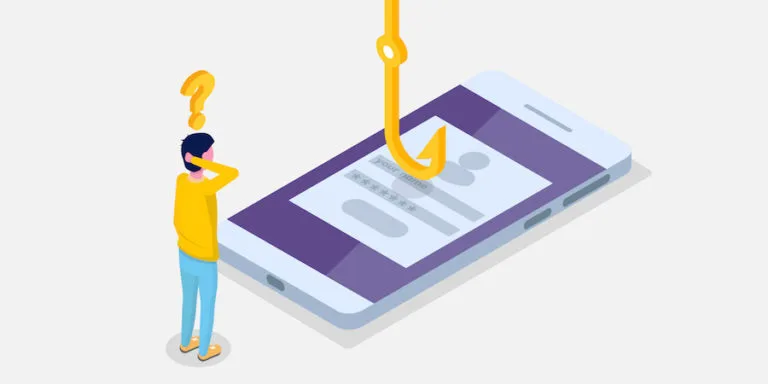
Most cyber security advice focuses on email and laptops. Mobile phishing is the gap that gets missed — and it’s a growing one, since most people now check messages and emails on their phone throughout the day, often faster and with less scrutiny than they would on a desktop.
What is mobile phishing?
Mobile phishing covers any phishing attempt specifically targeting a mobile device, rather than a desktop or laptop. It takes a few common forms:
- Smishing (SMS phishing): a text message designed to look like it’s from a bank, a delivery company, or a colleague, containing a malicious link or asking for sensitive information.
- Vishing (voice phishing): a phone call, often impersonating a bank, a supplier, or even a senior colleague using AI voice cloning, designed to extract sensitive information or push someone into an urgent action like a bank transfer.
- App impersonation and fake login screens: malicious apps or fake versions of legitimate apps designed to capture login credentials when a user enters them.
- Phishing links in messaging apps: malicious links sent via WhatsApp, social media direct messages, or other messaging platforms rather than email.
Why mobile phishing is harder to catch
A few things make phishing attempts on a mobile device genuinely more dangerous than the same attempt on a desktop. Screens are smaller, making it harder to spot a suspicious sender address or a slightly-wrong URL. People tend to act on their phones quickly, often without the same level of scrutiny they’d apply at a desk. And mobile devices are frequently used outside the protections that may be in place on an office network.
How we protect against it
Mobile Device Management (MDM)
We manage and secure the mobile devices connecting to your business data, enforcing security policies and enabling remote wipe if a device is lost, stolen, or compromised. See our Mobile Device Management page for full detail on what this covers.
Two-step login (MFA), enforced everywhere
Even if a phishing attempt succeeds in capturing a password, multi-factor authentication stops an attacker getting into the account without the second verification step. This is enforced across every account we manage, regardless of which device someone is using to access it. Read more on our Security page.
Web-level threat blocking (DNS filtering)
Malicious links sent via SMS, messaging apps, or email are blocked at the network level before the destination ever loads — on Windows devices this protection follows the device wherever it connects, including off your office network. See our DNS Security page.
Email defence
A large proportion of phishing still arrives by email, including messages designed to be read and acted on quickly from a phone. Our email defence service filters phishing attempts before they reach the inbox at all. See our Email Defence Services page.
Security awareness training
Technology stops most attacks, but mobile phishing specifically relies on a person making a fast decision on a small screen. Awareness training, including phishing simulations, helps your team recognise the signs, whether the attempt arrives by email, text, or phone call. See our Cybersecurity Awareness Training page.
What to do if someone on your team receives a suspicious message
Don’t click any links or call any numbers in the message. If it claims to be from a bank or supplier, contact them directly using a number or website you already know to be genuine — not anything provided in the suspicious message itself. Report it to your IT support team straight away, so any related accounts can be checked and protected.
Is mobile phishing protection included in a Network Fish managed support contract?
Yes. Mobile device management, multi-factor authentication, DNS filtering, and email defence are all included for Network Fish managed support clients as part of your security stack. Security awareness training is available as an additional service.
One monthly fee. One number to call.
The day-to-day risk of a convincing text message or phone call catching someone out becomes our job too, not yours alone.
